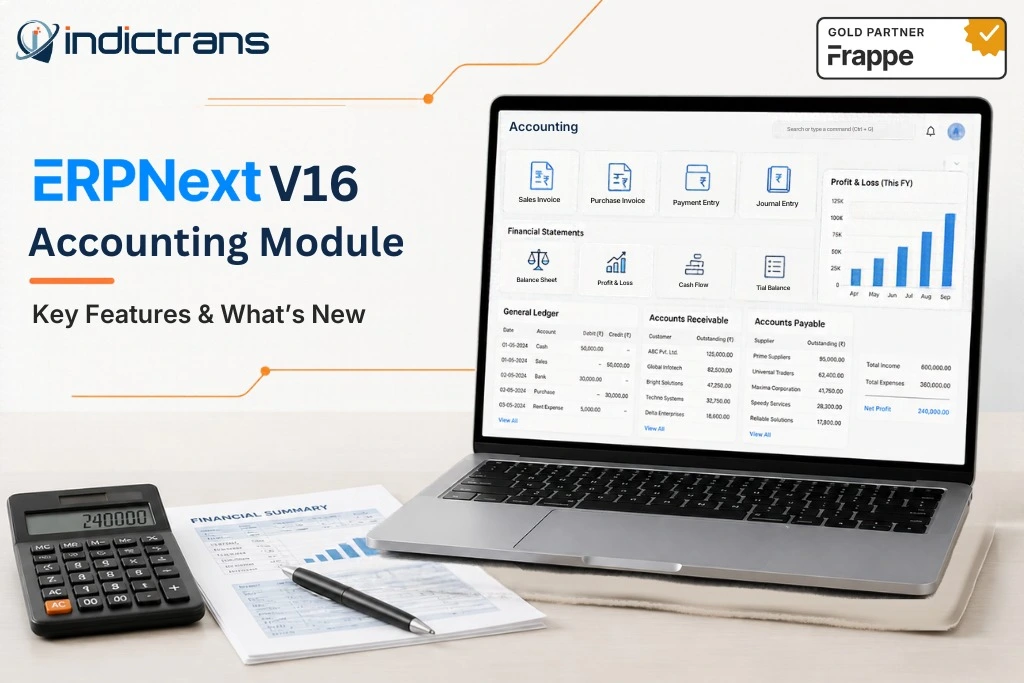
Accounting in an ERP system is much more than simply entering invoices and payments. Finance teams must have the ability to understand how each of the various business processes (purchasing, inventory, manufacturing, sales, etc.) will affect the company’s financial status. The ERPNext V16 Accounting Module enables you to link your business transactions to your financial records so that you may monitor balances, analyze costs, process payments, and create reports.
In addition to the new features listed above, Version 16 has made some changes to purchase expense accounting and tax-withholding data structures. Existing users should understand these changes prior to upgrading to Version 16. This guide will cover the major accounting features in ERPNext V16, the major changes, available financial reports, and what businesses should review prior to upgrading to the newer version.
What Is the ERPNext V16 Accounting Module?
ERPNext’s Accounting Module handles all of the company’s financial transactions; it also connects these transactions to other parts of the business. When you enter a transaction (such as a sales invoice, purchase invoice, payment, stock movement, expense or asset transaction) into ERPNext and submit it, depending upon the type of transaction and how your system is configured, an accounting entry will be created.
The primary functions of ERPNext’s Accounting Module are Chart of Accounts, General Ledger, Accounts Receivable/Payable, Payments, Banking, Taxes, Assets, Budgets, Cost Centers, Accounting Dimensions, and Financial Reports. Purchasing an item creates a supplier payable; however, when you make a stock transaction, it affects the value of your inventory and as such, the related ledger entries.
Therefore, finance teams can see both operational and financial data simultaneously.
What’s New in ERPNext V16 Accounting?
ERPNext V16 includes several changes to its accounting features. Some of the most significant changes include:
Improved Purchase and Stock Expense Accounting
A key feature of ERPNext V16 is “Track Purchases in Accounts.” This feature creates two sets of accounts (Purchase Expense and Purchase Expense Contra, and Expenses Added to Stock and Expenses Added to Stock Contra) specifically for tracking purchases and expenses related to stock.
Why is this important?
Stock value will be altered by receipt of goods from vendors; invoices for goods purchased, which increase stock; entry into stock; reconciliation of stock; and landed cost vouchers. Previously, these types of transactions were difficult to see in either the Profit and Loss statement or Trial Balance when analyzing Cost of Goods Sold. When this feature is turned on, and the appropriate accounts are set up, ERPNext creates both a debit and credit entry for each pair.
Although there is no total effect on the books, the related purchase and stock-value transactions can now be seen in your financial statements. This feature is turned on/off via Accounts Settings -> Stock Expense Accounting. This feature is not turned on automatically for all companies.
Therefore, before you turn this feature on, you should check your account settings. Also, existing installations may need to be migrated based upon how you had previously set up your purchase expense account(s).
Changes to Tax Withholding Tracking
ERPNext v16 has changed where tax withholding information is saved into a new “Tax Withholding Entry” child table. All of the previous tax withholding data will be moved into this new table as part of the upgrade process using the official v16 migration guide. This change is important to businesses that use tax withholding because many businesses may have developed custom reports, integrations, etc., which were designed around the old way the data was organized.
Businesses should also verify what withholding features are applicable to their organization, as each country has different tax laws and localizations; therefore, businesses cannot assume that upgrading their software will meet all of their local tax requirements.
Accounting Permissions and Tax Details
The v16 migration documentation mentions a change in how item-level tax details are stored. In previous versions of ERPNext, these were stored in a legacy JSON field, but now they will be stored in a child table. This could affect any custom report or integration that reads those fields.
In addition, the ERPNext v16.50 release notes mention changes to permissions on records used in accounting and other modules, as well as changes to tax template visibility for appropriate roles. When upgrading, ensure that finance, purchasing, and stock users have the access they need.
These are changes specific to this version of ERPNext. However, many of the most important reports and features (e.g., General Ledger, Bank Reconciliation, Assets, Accounting Dimensions) have been part of ERPNext for some time and were not introduced in v16. Source: v16 Migration Guide and Release Notes
Key Features of the ERPNext V16 Accounting Module
Along with these features, ERPNext has a wide range of accounting functions. Chart of
- Accounts & General Ledger: Create an organization of all your assets, liabilities, equity, income, and expenses; and then find the original document for each transaction that was entered.
- Accounts Receivable & Payable: Keep track of your customers’ invoices, suppliers’ bills, unpaid balances, payment terms, and aging.
- Payment Management & Reconciliation: Enter all payments received, payments made to suppliers, advances, partial payments, and apply those payments to unpaid invoices.
- Banking & Bank Reconciliation: Either import or connect to your bank account to enter transactions and reconcile those transactions with the appropriate accounting entries.
- Tax Management: Define tax templates, categories, rules, and withholding processes based on your business needs.
- Inventory & Accounting Integration: Link stock transactions and valuations with your financial records once you have set up the appropriate accounting settings.
- Asset & Depreciation Accounting: Enter fixed assets, establish depreciation schedules, and follow the transfer or sale of assets.
- Cost Centers & Accounting Dimensions: Break down income and expenses by department, project, branch, etc.
- Budgeting & Cost Control: Establish budgets and compare the budgeted amount with actual transactions.
- Multi-Currency & Multi-Company Accounting: Process transactions in multiple currencies and across multiple company entities.
- Deferred Revenue & Expenses: Recognize income or expenses that meet certain criteria over a period of time rather than at the time the invoice is issued.
Financial Reports Available in ERPNext V16
ERPNext provides financial statements and supporting reports for different questions finance teams need to answer.
| Report | What it helps you review |
| Balance Sheet | Assets, liabilities, and equity at a point in time |
| Profit and Loss | Income, expenses, and profitability over a period |
| Cash Flow Statement | Cash movements from operating, investing, and financing activities |
| Trial Balance | Debit and credit balances across accounts |
| General Ledger | Individual accounting entries and their source transactions |
| Accounts Receivable | Outstanding customer balances and ageing |
| Accounts Payable | Supplier balances and amounts due |
| Budget and cost-center reports | Planned versus actual financial activity |
These reports will be of value as long as the underlying data (transactions, account mapping, filters, and dates) is accurate. A trial balance that is in balance does not guarantee that each transaction has been correctly posted to its proper account.
How ERPNext V16 Accounting Connects With Business Operations?
Accounting is most effective when finance is able to use one system for all of its data rather than having to gather information from each department’s individual systems. The following are examples of how ERPNext will connect your different departments:
- Sales -> Invoice -> Receivable -> Payment: This will allow you to track what your customers owe you and how they pay off their invoices.
- Procurement -> Purchase Invoice -> Payable -> Payment: This will connect your supplier’s bill to the amount that is owed and the payment that was made.
- Inventory -> Stock Movement -> Valuation -> General Ledger: This will provide you with an overview of the financial impact of your stock movements once the appropriate accounting settings have been set up.
- Manufacturing -> Material and Production Costs -> Inventory -> Financial Reporting: This will connect your manufacturing activities to costing and financial analysis.
- Projects -> Costs and Revenue -> Profitability: This will enable you to review the profitability of each project based on the transactions and dimensions that have been defined. ERPNext can also assist in preparing for audits by providing transaction records, user access controls, and reports.
However, ERPNext does not guarantee that a business is compliant with all accounting, tax, or industry requirements. Businesses in the United States should consult with a certified public accountant (CPA) regarding their accounting policies, tax configuration, and required internal controls.
What Should Businesses Review Before Moving to ERPNext V16?
An upgrade will require both technical verification and financial verification.
- Review the accounting configuration. Review the chart of accounts; default accounts; currencies; tax settings; cost centers; accounting dimensions; and stock expense settings.
- Identify customizations and integrations. Identify any custom accounting reports, scripts, API calls, and integrations that utilize fields or methods that have been modified in v16.
- Validate tax requirements. Ensure that the configured tax behavior and localization meet your business’s needs. Do not assume that migrated settings are a substitute for a tax review.
- Test critical workflows. Test sales invoices; purchase invoices; payments; bank reconciliation; stock transactions; taxes; and period closing in a staging environment.
- Verify financial data. Compare opening balances, the general ledger, the trial balance, the balance sheet, profit and loss, receivables, and payables before and after migration.
Investigate any discrepancies rather than assuming that a successful migration indicates that the accounts are correct.
How Indictrans Can Help With ERPNext V16
Moving to a newer version of ERPNext is not just about installing an update; there are many other factors that must be taken into account, such as your current accounting configuration, integrations, customizations, and workflow.
At Indictrans, we can help you with this process by assessing your current environment, accounting configuration, customizations, and what is required for the upgrade. Planning the upgrade based on your business process and system dependencies.
Configuring your settings and workflows to meet both the financial and operational needs of your organization. Reviewing and adapting any existing custom functionality as necessary. Providing post-go-live support through our ERPNext Success Package and Hypercare services.
If you would like to discuss planning an ERPNext V16 upgrade, please contact our ERPNext team to discuss your current system and requirements.
Conclusion
ERPNext V16 includes many of the same accounting functions as previous versions; however, there are some significant updates to how purchase expenses are accounted for, how tax-withholding information is managed, and what types of permissions are available. It will be important for current users to determine which of these updates will affect their system when planning for an upgrade.
Prior to going live on the new version, review your accounting configuration, run through several key processes, and check all financial reports. If you take the time to prepare properly, your organization should be able to maximize the benefits of using ERPNext while minimizing potential issues in both finance and operations.
Sources & References
- ERPNext Accounting Introduction — Overview of accounting workflows, ledger entries, and financial processes.
https://docs.frappe.io/erpnext/accounting-introduction - Track Purchases in Accounts — Official documentation for the ERPNext V16 purchase and stock expense accounting feature.
https://docs.frappe.io/erpnext/track-purchases-in-accounts - Tax Withholding Entry — Details of the ERPNext V16 tax-withholding structure and migration changes.
https://github.com/frappe/erpnext/wiki/Tax-Withholding-Entry - Migration Guide to ERPNext Version 16 — Version-specific changes that may affect existing configurations, integrations, and customizations.
https://github.com/frappe/erpnext/wiki/Migration-Guide-To-ERPNext-Version-16 - ERPNext Accounting Reports — Documentation for the General Ledger, Trial Balance, financial statements, and supporting reports.
https://docs.frappe.io/erpnext/accounting-reports - ERPNext Accounts Settings — Reference for accounting configuration and related controls.
https://docs.frappe.io/erpnext/accounts-settings - ERPNext Release Notes — Official release information for version-specific features, changes, and fixes.
https://github.com/frappe/erpnext/releases
What Are The Main Capabilities Of ERPNext V16's Accounting Module?
The main capabilities include; General Ledger, Receivables & Payables, Payments, Banking, Tax Configuration, Asset Accounting, Budgets, Accounting Dimensions and Financial Reporting. ERPNext V16 has added Purchase and Stock Expense Accounting Changes as well as a Revised Tax Withholding Data Structure.
What Is New In ERPNext V16 Accounting?
A major new feature is “Track Purchases In Accounts,” which allows for some purchase and stock value movement to be more visible in the Profit and Loss and Trial Balance Reports if configured correctly. Also, Tax Withholding Records and Item Level Tax Details have been updated to use a different data structure.
Does ERPNext V16 Support Bank Reconciliation?
Yes. ERPNext supports matching bank statement transactions against accounting entries. This process involves reviewing unmatched transactions and finding differences between the bank statement and the ledger.
Can ERPNext Connect Inventory With Accounting?
Yes. Depending on the transaction type and configuration, ERPNext can connect stock movements and inventory valuation with accounting records.
What Should I Test Before Upgrading To ERPNext V16?
Test invoices, payments, stock transactions, taxes, bank reconciliation, custom reports, integrations, and period closing. Verify opening balances and key financial reports in a staging environment prior to upgrading production.
Will ERPNext V16 Automatically Comply With US Tax And Compliance Requirements?
No software configuration will automatically guarantee compliance. Organizations should verify the applicable tax localization, accounting policies, reporting requirements, and internal controls for their organization.