
Author – Yash Shinde
I walked into Frappeverse Mumbai 2026 expecting to learn about new features (around ERPNext v16).
I came back thinking about something bigger.
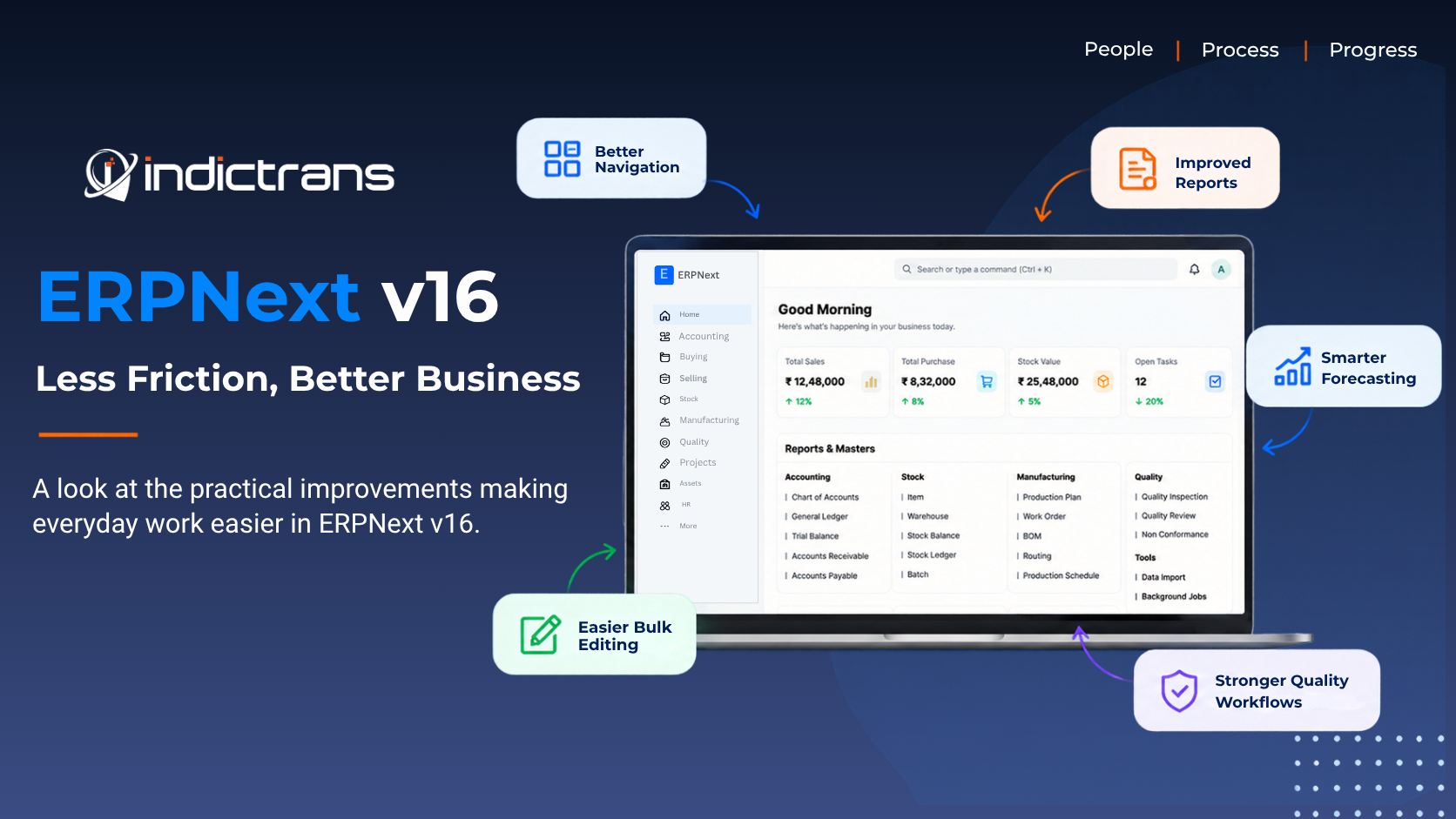
What stood out wasn’t just what ERPNext v16 can do. It was how much easier it makes everyday work.
A report you don’t have to leave.
A voucher you can open without losing your place.
An item that now keeps its pricing information.
A child table you can resize or bulk edit without the usual hassle.
Individually, these may seem like small improvements.
But when the same friction is repeated hundreds of times across a business, it becomes a real operational cost.
That was my biggest takeaway from Frappeverse:
The future of ERP isn’t just about making the system do more. It’s about making people do less unnecessary work.
And that is what makes ERPNext v16 so interesting.
Let’s look at what these changes actually mean for businesses and why they matter beyond just the feature list.
A Better ERP Starts With Better UX
One of the strongest themes I noticed in v16 is the focus on keeping users in their flow.
ERP users constantly move between documents, reports, attachments, settings, and related transactions. Every unnecessary screen change creates friction.
The new navigation experience addresses some of this.
The Desk now acts more like an Apps page, while the persistent double-sidebar approach makes module and document navigation more structured. There is also greater flexibility to hide modules that aren’t relevant to a particular organisation or user.
That may sound like a small change, but it reflects an important principle:
Your ERP should reflect your business, not expose every feature the ERP contains.
If a Sales user doesn’t work with Manufacturing, they shouldn’t have to mentally filter Manufacturing out every time they open the system.
Good UX reduces cognitive load.
And ERP systems need that more than most software because they already deal with a huge amount of business complexity.
DocType Configuration Is Becoming Easier to Discover
ERPNext’s flexibility is one of its biggest strengths.
But flexibility can sometimes mean configuration is spread across multiple areas.
When configuring a DocType, administrators may need to deal with things such as:
- Naming configuration
- Print formats
- Notifications
- Email templates
- Workflows
- Other document-related settings
For an experienced consultant, finding these settings becomes routine.
For a new system administrator, it can feel like a treasure hunt.
Version 16 brings related configuration closer together through the DocType settings experience.
The important improvement isn’t simply that there is another settings screen.
It is the idea behind it:
If I’m working on this document, show me the configuration that belongs to this document.
This makes administration easier, reduces the time spent searching through the system, and can make implementations easier to maintain.
For functional consultants, this is particularly useful because configuration becomes easier to explain and easier for clients to take ownership of after implementation.
Want to know more about the reporting changes in ERPNext v16? Read our detailed look at How DuckDB Could Speed Up ERPNext v16 Reports.
Exponential Smoothing Forecasting: Smarter Demand Planning
One of the interesting additions in ERPNext v16 Manufacturing is Exponential Smoothing Forecasting, bringing a more data-driven approach to demand planning.
Instead of relying only on historical averages or manual estimates, the forecasting tool uses past demand data to generate future forecasts, helping businesses identify expected demand and plan production and inventory accordingly.
The forecasting view brings together historical demand, forecast values, and future forecast data in a visual chart, making it easier to understand demand trends at a glance.
Businesses can use this to make better decisions around:
- Inventory planning
- Production planning
- Material requirements
- Demand trends
- Reducing overstock and stockouts
What makes this particularly useful is that forecasting becomes part of the manufacturing workflow rather than something that has to be calculated separately in spreadsheets.
From historical demand → forecast → production planning.
That is another step toward making ERPNext not just a system for recording what happened, but a tool that helps businesses plan what happens next.
Attachments Without Leaving the Document
Here’s one of those improvements that looks small until you think about how often users actually perform the task.
Imagine you’re reviewing a purchase invoice.
There is a supplier quotation attached to it.
You want to compare the quotation with the invoice.
Previously, opening the attachment could mean moving away from your current context.
In v16, attachments can be viewed through a side-panel experience, allowing users to inspect the file while staying with the document.
That matters for processes such as
- Invoice verification
- Supplier document checking
- Delivery documentation
- Supporting bills
- Customer documents
- Quality documentation
The principle is simple:
Don’t make users leave the context in which they are working.
This is a recurring theme across v16.
Investigating Reports Without Losing Your Place
The same philosophy applies to financial and operational reports.
Consider a general ledger.
You find a transaction that needs investigation.
You click the voucher.
Instead of completely leaving the report, the voucher can open in a side panel.
You investigate the transaction, close the panel, and continue from where you were.
The difference may look like this:
Old experience:
Report → Open Voucher → Leave Report → Investigate → Go Back → Find Your Place
New experience:
Report → Investigate → Close → Continue
For accountants and finance teams who investigate large numbers of transactions, this is much more than a cosmetic improvement.
It preserves context.
And context is valuable.
The less time users spend navigating between screens, the more time they spend actually analysing the business.
Child Tables: Less Clicking, More Doing
Child tables are at the heart of many ERPNext transactions:
- Sales Orders
- Purchase Orders
- Sales Invoices
- Purchase Invoices
- Stock Entries
- Bills of Materials
- Pricing information
So improving child tables can have a surprisingly large impact.
Drag-to-Resize Columns
Users can now resize child-table columns more naturally by dragging them.
This is a much more intuitive interaction than relying on arbitrary grid-width values.
If one user needs a wider Item Name column and another needs more space for Warehouse or Description, the interface can be adjusted accordingly.
It is a small UX decision, but it brings ERPNext closer to the behaviour users already expect from modern business applications.
Bulk Editing: Eliminate Repetitive Work
Now imagine a Sales Order containing 40 items.
You discover that 15 of those items need to be moved to a different warehouse.
Updating 15 rows individually isn’t difficult.
It’s just repetitive.
And repetitive work is exactly what an ERP should help eliminate.
With the Allow Bulk Edit capability in child tables, users can select multiple rows and update them together.
That means:
Fewer clicks.
Less repetitive work.
Less opportunity for manual mistakes.
This is also a good example of why ERP improvements shouldn’t always be judged by how impressive they sound.
A feature doesn’t have to be revolutionary to be valuable.
If it saves a user five minutes every day, that feature can become extremely valuable over a year.
Item Prices Are Now Closer to the Item
One of the changes I found particularly interesting from a master-data perspective is the addition of an Item Price child table directly inside the Item Master.
This makes the relationship between an item and its pricing information much more intuitive.
When users open an Item, they can maintain its associated pricing information from the same place.
Think about the questions a user naturally asks when looking at an Item:
- What is this item?
- What UOM does it use?
- What are its relevant settings?
- What are its prices?
- Which price list does the price belong to?
- What currency is being used?
- Is this a buying or selling price?
Putting pricing information closer to the Item Master creates a much simpler mental model:
This is the Item, and these are the prices associated with it.
For businesses managing multiple price lists, currencies, buying prices, selling prices or different commercial arrangements, this can make item maintenance easier to understand.
It also simplifies training.
Instead of teaching users where another pricing record lives, the pricing information is presented closer to the master data it belongs to.
Again, it is the same v16 philosophy:
Put related information where users naturally expect to find it.
Reports That Stay Usable When They Get Wide
ERP reports can become enormous.
Add Item Code, Customer, Supplier, Warehouse, Quantity, Rate, Amount, Posting Date, Project, Cost Center and accounting dimensions, and horizontal scrolling quickly becomes part of the job.
Version 16 introduces the ability to freeze or pin important columns in report views.
For example, you can keep Customer Name or Item Code visible while scrolling through the remaining columns.
This is a familiar spreadsheet concept, but it becomes particularly valuable in ERP reporting because users are often dealing with large datasets.
The important information shouldn’t disappear simply because the report contains more columns.
When analysing data, users should always know:
What am I looking at?
Pinned columns help maintain that context.
From Dashboards to Answers
Another important direction is the closer integration of Insights and analytics into the ERP workspace.
But the value isn’t simply in having more charts.
Businesses don’t need more charts.
They need answers.
Imagine management sees that sales have declined.
The dashboard tells them sales are down.
That’s useful—but it’s only the first question.
Now they want to know:
Which territory?
Which customers?
Which products?
Which salesperson?
Which period?
Which transactions are driving the result?
This is where interactive analytics becomes powerful.
That’s the difference between simply displaying information and helping people make decisions.
Budgets Should Reflect a Changing Business
A budget is a plan.
But businesses change.
Projects are delayed.
Costs increase.
Forecasts change.
New opportunities appear.
So budgets naturally need to be revised.
Version 16 introduces improvements that allow an active budget to be revised without requiring the same cancel-and-amend approach that was previously needed.
This makes the budgeting process more practical.
A budget should help management control the business and not become an administrative obstacle every time assumptions change.
The ERP should support the reality that business plans evolve.
Proforma Invoices From Sales Orders
This is another change with clear relevance for B2B and project-driven organizations.
Imagine a customer places a Sales Order worth ₹1 crore.
The customer may not pay the entire amount immediately.
Perhaps the business needs:
- An advance before procurement
- A payment before production
- A milestone payment before delivery
- Final payment after completion
The ability to create proforma invoices from Sales Orders for partial quantities and values supports these kinds of business scenarios more naturally.
This can be useful for:
- Turnkey projects
- Engineering businesses
- Large B2B orders
- Advance-payment processes
- Milestone-based billing
- Partial fulfilment
The broader lesson is important:
ERP transactions should support real business processes not force businesses into artificial workflows.
Quality Inspection Doesn’t Have to Stop at Receiving
Quality control isn’t always just about what happens when material enters the warehouse.
Consider material moving between warehouses.
Or stock moving to a production location.
Or inventory being transferred into a quarantine area.
The movement itself can be an important quality-control point.
Version 16 expands Quality Inspection capabilities to additional transaction scenarios, including Stock Entry / Material Transfer workflows.
For businesses where quality and traceability are critical, this can provide greater control over internal inventory movements.
It is particularly relevant when:
- Material traceability is important
- Different warehouses have different responsibilities
- Stock moves through inspection or quarantine
- Internal transfers affect production
- Quality requirements extend beyond receiving
The bigger idea is:
Quality should follow the material throughout its lifecycle when the business requires it.
Planning to upgrade to ERPNext v16?
Understand what’s changing and how these improvements can fit into your existing ERP setup.
Talk to our ERPNext experts to discuss your upgrade or implementation requirements.
What Frappeverse Taught Me Beyond the Features
After looking at all these changes, three broader lessons stayed with me.
These aren’t ERPNext features.
They are lessons about how we should approach ERP implementations.
1. Move From Nouns to Verbs
Traditional ERP implementations often focus heavily on nouns:
- Customer
- Supplier
- Item
- Warehouse
- Employee
- Account
- Project
- Cost Center
We spend enormous amounts of time creating and maintaining these masters.
But an ERP isn’t valuable simply because the masters exist.
The real value comes from what happens between them.
A customer places an order.
A purchase requires approval.
A payment becomes overdue.
Stock falls below a threshold.
A quality inspection fails.
A manager needs to approve an expense.
A delivery is delayed.
These are verbs.
- Create
- Approve
- Notify
- Escalate
- Inspect
- Deliver
- Follow up
- Automate
This is where workflows, notifications, approvals and automation become important.
The future of ERP isn’t only about maintaining better data.
It’s about turning that data into better business actions.
ERP Is a Process Problem Before It Is a Product Problem
This is perhaps my biggest takeaway.
Companies often begin ERP discussions by asking:
“How does ERPNext work?”
I believe the better starting question is:
“How does our business work?”
Before configuring the ERP, we should understand:
- What is the current process?
- Who performs each step?
- Where are the bottlenecks?
- Where are approvals required?
- Where are people duplicating work?
- Where are spreadsheets being used?
- Where do errors happen?
- What can be automated?
Only then should we decide how ERPNext should be configured.
Because a broken process inside a beautifully configured ERP is still a broken process.
ERPNext provides the technology.
But successful implementation comes from bringing together:
Process + People + Technology
What This Means for ERPNext Consultants
For me, this is where v16 becomes especially interesting.
ERP implementation shouldn’t simply be:
Configure → Train → Go Live
It should be:
Understand → Simplify → Design → Configure → Automate → Measure → Improve
The goal isn’t to reproduce every existing manual process inside ERPNext.
The goal is to ask:
Should this process exist in this form at all?
If a team spends two hours every day preparing a report manually, don’t just automate the report.
Ask why the report exists.
If users enter the same information in three places, don’t simply train them to enter it faster.
Ask why the duplication exists.
If managers spend hours approving routine transactions, don’t just create another approval screen.
Ask whether some decisions can be automated.
That is where functional consulting becomes much more valuable than simply knowing where every ERPNext setting is located.
If I had to summarize my Frappeverse 2026 experience in one sentence, it would be this:
A better ERP isn’t necessarily one that does more. It’s one that makes people work better.
And don’t forget to follow us on LinkedIn!