A business often uses multiple systems, such as accounting, inventory, purchasing spreadsheets, sales and customer records, etc. As the business grows with orders, teams and locations, updating information across these different systems becomes more and more complex.
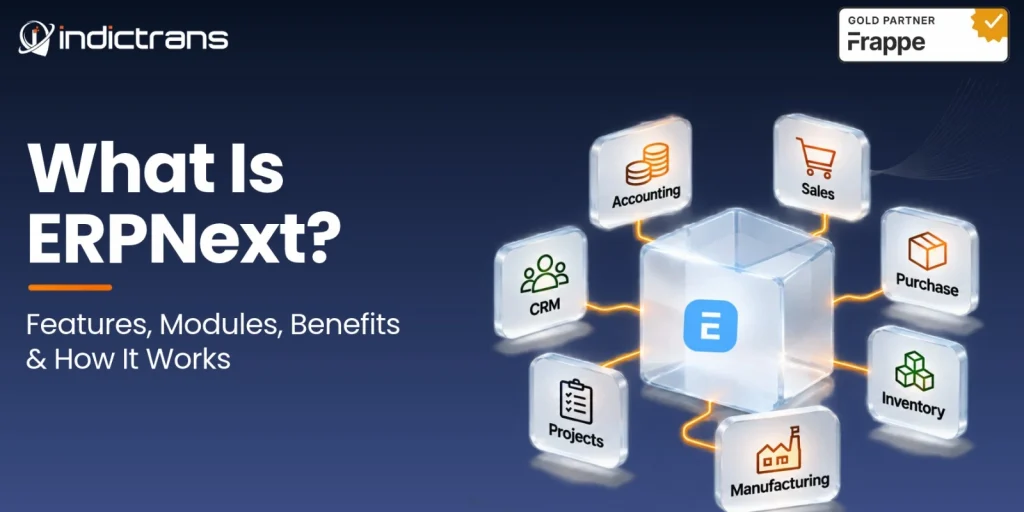
ERPNext is an open-source Enterprise Resource Planning (ERP) application developed on the Frappe Framework. It manages all the activities of a business, connected to each other, like Accounting, Sales, Purchasing, Inventory, Manufacturing, Projects and Asset Management.
In this post, we will look at the modules of ERPNext and how they work and what you must consider before implementing ERPNext in your business.
What Is ERPNext?
ERPNext is business management software that connects the different departments and transactions of a company. It is based on the open-source web application framework Frappe Framework.
For example, when a distributor receives a customer order, the sales team can check the inventory levels, the warehouse team can pick and pack the goods, and the finance department can create the invoice and track payments based on this information.
ERPNext vs. Traditional Standalone Business Software
ERPNext avoids duplication of customer, item, and transaction details by providing connected workflows; i.e., sales orders, delivery notes, invoices, and payments can be created as connected transactions.
ERPNext has connected workflows for all processes. A sales order can lead to a delivery, invoice, and payment record, for example, without having to enter the same data over again. The workflow is configured in ERPNext.
What Is ERPNext Used For?
ERPNext is business management software used for daily work within a company.
Here are a few examples:
- Sales: Leads and quotations can move into sales orders, deliveries, invoices, and payment records.
- Procurement: Material requirements can be managed, quotations from suppliers can be received and processed, purchase orders can be placed, receipts can be recorded, and supplier invoices can be entered.
- Manufacturing: Manage BOM, Material Planning, Work Order, Production, and Finished Goods.
- Inventory: Recording stock receipts, stock transfers, stock movements, and stock deliveries.
- Finance: Business transactions feed into accounting records, helping teams review outstanding payments, expenses, and financial reports.
The above workflows link up nicely, as a change in one of the above departments can have an impact on the others.
For example, once a purchase receipt has been recorded for a purchase, the corresponding inventory records can be updated, and the corresponding accounting entries can be created depending on the configuration settings.
How Does ERPNext Work?
ERPNext is based on shared business records, transactions, and configured workflows.
Business Data → Transactions → Connected Processes → Reports and Dashboards
Three things make this possible:
- Master Data: Customers, suppliers, items, warehouses, employees, BOMs, and the Chart of Accounts are the master data on ERPNext.
- Business Transactions: Create documents such as Sales Orders, Purchase Orders, Invoices, Stock Entries and Payment Entries which record all business activities.
- Workflows and Reporting: ERPNext allows for the definition of workflows and approval processes for individual business processes. Reports and dashboards use transactional data from the ERP to show sales, inventory, production, purchasing, and financial data.
A purchase order records what a company is purchasing, a purchase receipt records what actually arrived, and a purchase invoice records the supplier’s bill for the goods that were received.
ERPNext Modules List: What Can You Manage?
ERPNext covers many business processes with separate modules. For each of these modules there is a separate section in this document.
- Accounting: Manage General Ledger, Accounts Receivable, Accounts Payable, Invoices, Payments, Taxes, Assets, and Financial Reports.
- Selling: Customers, Quotes, Sales Orders, Prices, Shipments and Invoices.
- Buying: Manage suppliers, requests for quotations, supplier quotations, purchase orders, purchase receipts, and purchase invoices.
- Stock and Inventory: Keep track of items, warehouses, stock movements, inventory valuation, batch numbers, serial numbers and more.
- Manufacturing: Bills of Materials, Material Requirements Planning, Work Orders, Production Planning, Job Cards, Shop-floor activities, and Manufacturing Costs.
- CRM: ERPNext’s existing CRM functions, such as managing leads, opportunities, customers, and sales activities, will be removed from ERPNext in version 17.
However, there is a separate application, Frappe CRM, which can be used for new CRM setups. It is advisable to check the version of ERPNext that you are using and its corresponding Frappe CRM version.
- Projects: Organize projects, tasks, timesheets, expenses, project costs, and billing.
- Assets: Fixed-asset records, depreciation tables, asset transfers, maintenance, and disposal of assets can be maintained.
- Human Resources: The separate application Frappe HR can be installed next to ERPNext to handle HR and payroll processes for employees such as employee records, leave, attendance, payroll, recruitment and other HR processes.
The features available depend on the installed version and configuration of Frappe HR.
- Support and Service Management: Manage Issues, Service Level Agreements (SLA), Maintenance Schedules, Maintenance Visits and other service related activities.
What Are the Key ERPNext Features?
Apart from individual modules, ERPNext also provides features to manage business processes in general.
- One connected system: All departments work with related business records instead of keeping separate information.
- Role-based access: Access to information can be limited to records and actions that employees need to perform their work.
- Configurable workflows: Approvals and processes for documents can be set up according to internal requirements of businesses.
- Reports and dashboards: Standard reports and customizable dashboards enable teams to review business information.
- Multi-company and multi-currency support: ERPNext supports multiple companies and currencies, allowing for appropriate configuration.
- Customization: ERPNext allows users to customize fields, forms, workflows, reports and more to fit the specific needs of their organization.
- API and integration support: The Frappe Framework also provides support for creating APIs to integrate ERPNext with other applications.
ERPNext Integrations: What Can It Connect With?
ERPNext integrations allow businesses to exchange information between the ERPNext application and other applications that are already being used by that business.
Common integration areas include:
- E-commerce: This area enables connecting online stores (Shopify, WooCommerce, etc.) with ERPNext to transfer orders, products, stock and payments.
- Payments and banking: Connect supported payment gateways and banking services with financial workflows.
- Shipping and logistics: Shipping and logistics information can be exchanged with third-party logistics services.
- CRM and sales: Connect external CRM systems with ERPNext and sync up with customers, leads and orders.
- Reporting and analytics: Send business data to reporting tools for additional analysis.
The ERPNext documentation contains integrations for several services, such as Shopify, WooCommerce, Stripe, shipping services, and banking services. Other applications can be integrated via the Frappe REST API or custom code as required.
Since not all applications have pre-built integrations, it is good practice to research connector support, data mapping, and maintenance requirements before implementing an integration.
Where Is ERPNext Installed and Hosted?
ERPNext is a web-based application. ERPNext can be run as a service by a managed hosting service or on your own infrastructure.
- Cloud-hosted ERPNext: ERPNext hosted on the infrastructure of a service provider such as ERPNext’s parent company, Frappe.
- Self-hosted ERPNext: The ERPNext installation is managed by the business and includes setup, updates, backups, security, and maintenance of the server.
What Server Is ERPNext Installed On?
ERPNext is built upon the Frappe Framework, which includes a server-side application environment with its own database and all required support services.
ERPNext production installations are typically deployed in supported Linux environments such as Ubuntu or Debian using Frappe Bench or suitable Docker-based deployments.
The exact system requirements for ERPNext and Frappe depend on the version used, the number of users, and the workload, as well as the deployment configuration. Refer to the official installation instructions before choosing server infrastructure.
What Are the Benefits of ERPNext?
ERPNext helps businesses run their daily business with less disconnect between departments.
- Connected processes: Sales, purchasing, inventory, manufacturing, and finance can work with related transactions.
- Visibility: All teams can view orders, stock, purchases, and finance entries in real time.
- Less repeated data entry: Connected workflows prevent re-entering information in several applications.
- Process control: ERPNext allows defining permissions and approving processes.
- Scalability for growing companies: ERPNext can grow with you and your business as you add products, employees, warehouses, and even locations.
- Open-source flexibility: Open-source software can be reviewed by any user, although there are costs for development, hosting, implementation, and support.
This benefit, however, depends on proper configuration of the software and consistent usage by employees.
Is ERPNext Suitable for Your Business?
Different industries can use ERPNext for their processes, but each business requires different things.
- Manufacturing: Production planning, BOMs, material requirements, inventory, quality, and costing.
- Distribution: Supplier management, purchasing, warehouses, stock control, sales orders, and fulfillment.
- Retail: Purchasing, inventory, point of sale (POS), multiple locations, and financial transactions.
- Service & Projects: Projects, tasks, timesheets, expenses, billing and accounting.
Understand what your processes are, what integrations you require, how much customization you need, how you want to host, how much you can spend on the initial setup and how much you can afford to pay for ongoing support.
Open-source is not free to implement. There is cost of setup, data migration, development, hosting, training and support.
How Is ERPNext Implemented?
The implementation of ERPNext revolves around customizing the system to the business processes of the company.
A typical project includes:
- Understand business requirements: Review existing processes, gaps, and goals.
- Plan the system: Define companies, locations, warehouses, users, roles, and workflows.
- Configure ERPNext: Set up the required modules and processes.
- Migrate data: Clean, import, and validate relevant business records.
- Build integrations and customizations: Address requirements not covered by standard functionality.
- Test business workflows: Check complete processes before go-live. Train employees on how to use ERPNext and what their roles and responsibilities are.
- Go live and provide support: Monitor the system, resolve issues, and make improvements.
Installing ERPNext is only half of the story. You also need to adapt the system to the business process of the company.
How Indictrans Helps Businesses With ERPNext
Indictrans can help with the ERPNext selection as well as with the definition of business processes, application landscapes, and future requirements.
We at Indictrans assist companies in different stages of their ERP journey.
- ERPNext Consulting: Review business processes, requirements, and ERP readiness before implementation.
- ERPNext Implementation: Configure and implement ERPNext around operational needs.
- ERP Migration: Support businesses moving from existing ERP or disconnected systems.
- Customization and Integration: Tailor ERPNext to meet your specific needs and connect with other applications.
- ERPNext Optimization: Review existing setups and identify process, configuration, and performance improvements.
- ERPNext Success Package: Provide ongoing functional and technical support.
- ERPNext Hypercare: Help teams handle issues and questions after go-live.
Indictrans has 17+ years of ERP experience and is a Frappe Gold Partner. We help companies plan, implement, and optimize ERPNext.
Want to see how ERPNext can work for you? Speak to the Indictrans team about your business requirements.
Conclusion
ERPNext is an open-source ERP system that supports accounting, sales, purchasing, inventory, manufacturing, projects, assets and other business processes.
ERPNext is more than a set of modules that can be implemented. It must be implemented around the business processes, the existing data, the integrations and the employees that will use the system.
Before starting with the implementation of ERPNext for your company, first you need to understand the requirements of your company and how the different departments of your company are going to use the system.
Sources & References
1) What is ERPNext in simple terms?
ERPNext is a free open-source ERP system that manages a business’s accounting, sales, inventory, purchasing, and manufacturing processes in one system.
2) What is ERPNext used for?
The ERPNext business software is used by companies to manage their finances, customers, purchase orders, inventory, manufacturing, projects, assets and reports.
3) What are the main ERPNext modules?
All ERPNext modules, such as Accounting, Selling, Buying, Stock, Manufacturing, Projects, Assets, CRM and Support are included in the ERPNext installation. Frappe HR is available as a separate application.
4) Is ERPNext open source?
Yes. ERPNext is open-source software that can be used, modified and distributed by businesses, subject to the terms of the applicable open-source license.
5) Can ERPNext be customized?
The ERPNext application and the underlying Frappe Framework are highly customizable. Fields, forms, reports, workflows, and applications can be customized to suit your requirements.
6) What systems can ERPNext integrate with?
You can connect your ERPNext system with your e-commerce system, your payment provider, your bank, your shipping provider, your CRM system and your reporting system via the already supported integrations and APIs.
7) Can ERPNext be used for manufacturing?
Yes, the Manufacturing module of ERPNext supports the creation of BOMs, material planning, work orders, manufacturing, tracking and cost accounting for manufactured products.
8) Can ERPNext support multiple companies and locations?
Yes, ERPNext supports multi-company accounting and warehouse management for multiple locations, depending on the setup.
9) Can ERPNext be hosted on your own server?
Yes, ERPNext can be self-hosted on a server of your choice or hosted by ERPNext on a managed server. Server requirements depend on the version you use and the workload.
10) What should a business consider before implementing ERPNext?
Review business processes, required modules, data migration, integration, customization, hosting, implementation costs, training of users and support after go-live.