Choosing an ERP is a big decision, especially when you’re comparing platforms that can both handle accounting, sales, purchasing, inventory, manufacturing and reporting.
At first glance, SAP Business One and ERPNext may seem quite similar. But once you look at the things that affect day-to-day work licensing, customisation, implementation, integrations, and ongoing support the differences become more important.
That’s why comparing ERP systems only by their feature lists can be misleading.
The better question is not “Which ERP is better?”
It is:
“Which ERP fits the way our business actually works?”
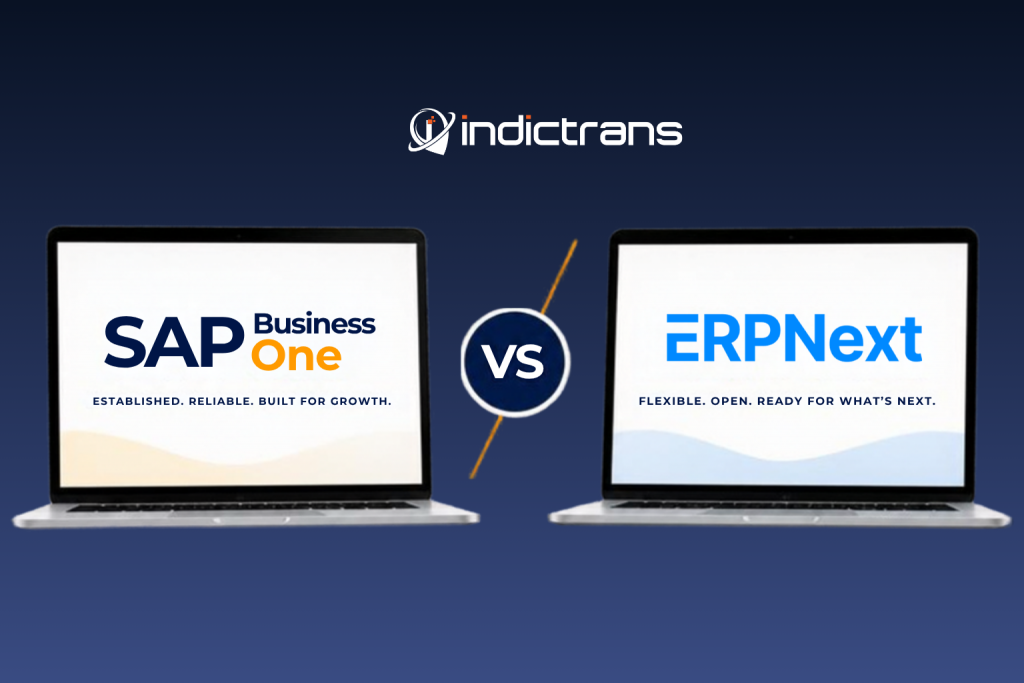
In this comparison, we’ll look at SAP Business One vs ERPNext from a practical business perspective on what differs, what to consider, and what you should actually test before making a decision.
SAP Business One vs ERPNext: What’s the Difference?
The simplest way to put it is this:
SAP Business One is SAP’s ERP platform for small and midsize businesses. It brings areas such as financial management, purchasing, inventory, sales, customer management, production and reporting into one system. SAP Business One is available through SAP’s partner ecosystem and supports different deployment options.
ERPNext is an open-source ERP built on the Frappe Framework. It covers accounting, CRM, manufacturing, sales and purchasing, inventory, HR, projects, assets, and other business functions. ERPNext is released under the GNU GPLv3 license.
So the difference isn’t simply about the number of modules.
It also comes down to licensing, customisation, deployment, implementation, support and how much control a business wants over its ERP environment.
SAP Business One vs ERPNext: Quick Comparison
| Area | SAP Business One | ERPNext |
| Product model | Commercial ERP | Open-source ERP |
| Target market | Small and midsize businesses | Businesses across multiple industries and sizes |
| Accounting | Yes | Yes |
| Sales & CRM | Yes | Yes |
| Purchasing | Yes | Yes |
| Inventory | Yes | Yes |
| Manufacturing | Yes | Yes |
| Reporting & analytics | Yes | Yes |
| HR & Payroll | Available through SAP solutions/ecosystem | Included in ERPNext |
| Deployment | Cloud and on-premise options | Cloud and self-hosted options |
| Customisation | Configuration, extensions and partner solutions | Frappe Framework, custom apps and extensions |
| Source code | Proprietary | Open source |
| Implementation | SAP partner network | ERPNext/Frappe partner ecosystem |
The table gives you the starting point. But if you’re actually deciding between the two, the details matter much more.
1. Implementation: What Happens Beyond the Software?
This is where ERP comparisons often become too theoretical.
An ERP implementation isn’t just installing software.
You have to understand existing processes, clean and migrate data, configure the system, build integrations, test workflows, train users and prepare the business for go-live.
SAP Business One is implemented and supported through SAP’s partner network.
ERPNext implementations also depend heavily on the implementation partner, particularly when the business needs data migration, integrations, custom workflows or changes to existing processes.
So when comparing the two, don’t look only at the software.
Ask:
How much work will our business need before this ERP is ready to use?
That question can tell you much more about the actual implementation effort.
2. Customization: How Much Can You Change?
Every business has processes that don’t fit neatly into a standard workflow.
Maybe you have a specific approval process. Maybe your manufacturing process is different from the standard flow. Maybe you need an integration with another application or a report built around your own business rules.
SAP Business One can be extended and customised through its ecosystem, including extensions and partner solutions.
ERPNext takes a different approach. It is built on the Frappe Framework, which provides tools for developing custom applications, workflows and integrations.
For a business, the practical question isn’t just:
“Can we customise it?”
It is:
“How easily can we make the system fit our processes without creating a maintenance problem later?”
That is something worth discussing with your implementation partner before you choose an ERP.
3. Accounting and Finance
Finance is usually one of the first areas businesses look at when comparing ERP systems.
SAP Business One includes financial management as a core part of the platform, along with areas such as accounts payable, accounts receivable, banking, and financial reporting.
ERPNext also has accounting and financial management built into the ERP. It covers areas such as sales and purchase transactions, accounts receivable and payable, taxes, payments, bank reconciliation and financial reports.
But having an accounting module isn’t enough.
Before choosing either system, finance teams should check the workflows they actually use:
- How is the chart of accounts structured?
- How are taxes handled?
- How are payments approved?
- How is bank reconciliation done?
- What financial reports are required?
- How are multiple companies managed?
- What integrations are needed?
- What local compliance requirements apply?
The right comparison is not “Does it have accounting?”
Both do.
The better question is:
“Can it handle the way our finance team works?”
ERPNext takes a different approach to ERP. As an open-source platform, it focuses on flexibility, customization, and giving businesses more control over how their ERP works. Its latest version also brings practical improvements to everyday workflows. You can read more about these changes in our guide to ERPNext v16 and its practical improvements.
4. Inventory and Warehouse Management
Inventory becomes complicated quickly once a business has multiple warehouses, locations, batches, serial numbers, or different stock movements.
SAP Business One includes inventory management as part of its core ERP functionality. It supports inventory tracking, warehouse management, and related purchasing and sales processes.
ERPNext also brings inventory, warehouses, stock transactions, batches, serial numbers, and related stock processes into the same system.
For an actual evaluation, don’t stop at the feature list.
Take a real transaction and walk through it.
For example:
Purchase → Receipt → Quality Check → Put Away → Stock Transfer → Sales Order → Delivery → Invoice
Then ask:
- Where is the stock at each stage?
- What happens when quantity is short?
- How are batches tracked?
- How are serial numbers handled?
- How are returns recorded?
- Can management get the required stock reports?
That exercise will tell you far more than checking whether both products have an “Inventory” module.
5. Manufacturing: Look at the Complete Production Flow
For manufacturers, ERP selection needs a closer look.
A BOM alone doesn’t tell you whether an ERP will work well for your factory.
You need to look at:
- Bill of Materials
- Production planning
- Material requirements
- Work orders
- Job cards
- Workstations
- Capacity planning
- Quality checks
- Subcontracting
- Production costing
- Finished goods and by-products
ERPNext includes manufacturing functionality covering areas such as multi-level BOMs, production planning, material planning, job cards, capacity planning and quality inspections.
SAP Business One also includes production and manufacturing-related capabilities as part of its ERP functionality.
So which one should a manufacturer choose?
There isn’t a useful one-line answer.
The better approach is to take your own production process and run it through both systems.
If your process starts with a sales forecast, moves into material planning, then purchasing, production, quality inspection and finally dispatch, that entire flow should be part of the evaluation.
6. Reporting and Analytics
ERP systems collect a lot of information.
The real question is whether your team can get the information it needs without spending hours putting data together.
SAP Business One provides reporting and analytics capabilities, with additional options depending on the technology and deployment used.
ERPNext provides reports across accounting, sales, purchasing, inventory, manufacturing and other business areas. The wider Frappe ecosystem also includes Frappe Insights for business analytics.
But again, don’t compare these systems by asking:
“How many reports do you have?”
Instead, bring your actual reports.
For example:
- Stock ageing
- Sales by customer
- Purchase analysis
- Gross margin
- Production performance
- Outstanding receivables
- Inventory valuation
- Month-end financial reports
- Management dashboards
If a report is important to your business, test it before making the decision.
7. Integrations: What Needs to Talk to Your ERP?
Very few businesses operate on one system alone.
You may already use:
- E-commerce platforms
- Payment gateways
- CRM systems
- Payroll tools
- Banking platforms
- Logistics systems
- Manufacturing machines
- BI tools
- Customer portals
- Government or compliance systems
So ERP integration becomes an important part of the evaluation.
SAP Business One supports integration and extension through its APIs, integration framework and partner ecosystem.
ERPNext also provides APIs and the Frappe Framework for building integrations and custom applications.
The important question is not:
“Can it integrate?”
Most modern ERP systems can.
Ask:
“Can it integrate with the systems we already use, in the way our business needs?”
And if an integration is business-critical, test it before the project starts.
Final Thoughts: Don’t Choose an ERP on Features Alone
There is no shortage of ERP comparison tables online. Most of them tell you whether a system has accounting, inventory, manufacturing, CRM or reporting.
But that’s only the starting point.
The more useful comparison is what happens when you put your actual business processes into the system.
Can your finance team follow its usual workflows?
Can your warehouse manage stock the way it needs to?
Can your production team handle its complete process?
Can the ERP connect with the tools you already use?
And can you customise it without making future maintenance unnecessarily difficult?
These are the questions that can make a real difference to your ERP decision.
SAP Business One and ERPNext take different approaches, and the right fit depends on your business, processes, budget, technical requirements and long-term plans.
And we’re not done yet.
In Part 2, we’ll go deeper into the areas that often have the biggest impact on an ERP decision: including cost, licensing, scalability, deployment, support, ownership, and the practical questions businesses should ask before choosing between SAP Business One and ERPNext.
In the meantime, don’t forget to follow us on Linkedin!