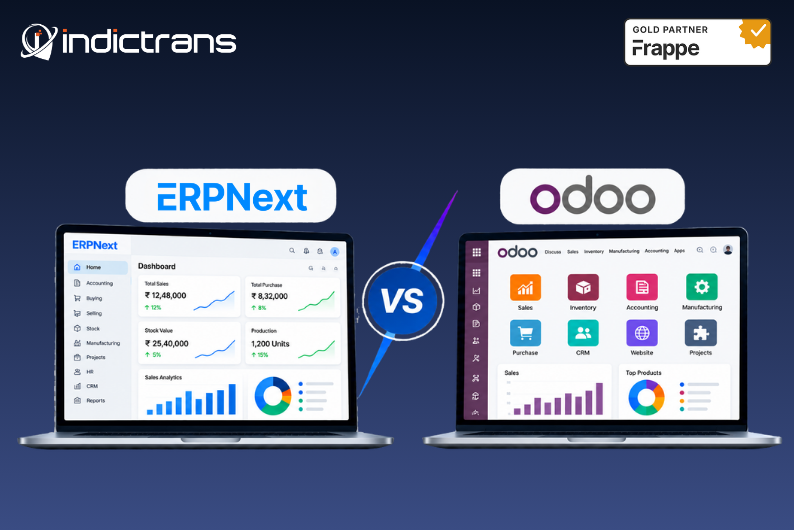
Choosing an ERP isn’t just about comparing feature lists.
On paper, ERPNext and Odoo can look quite similar. Both cover areas such as accounting, sales, purchasing, inventory, manufacturing, CRM, and other business processes.
But when you’re actually choosing an ERP, the questions become different:
- How much will it really cost?
- How flexible is it?
- Will it fit our manufacturing or supply chain processes?
- What happens when we need customization?
- How difficult will implementation and data migration be?
- Will our team actually use it?
- And what happens as the business grows?
These are the questions that matter once you move beyond a basic ERP comparison.
In this guide, we’ll compare ERPNext and Odoo from a practical business perspective, including pricing, licensing, customization, manufacturing, supply chain, implementation, migration, integrations, and long-term ownership.
And rather than simply declaring one ERP the winner, we’ll look at which one makes more sense for different types of businesses and requirements.
ERPNext vs Odoo at a Glance
Before getting into the details, here’s a quick view of how the two platforms differ.
Before getting into the details, here’s a quick view of how the two platforms differ.
Area | ERPNext | Odoo |
ERP model | Open-source ERP | Open-source core with Community and Enterprise editions |
Business areas | Finance, sales, purchasing, inventory, manufacturing, HR, projects, and more | Finance, sales, CRM, inventory, manufacturing, HR, projects, e-commerce, and more |
Customization | Strong customization options | Strong customization options |
Manufacturing | Strong manufacturing capabilities | Strong manufacturing capabilities |
Supply Chain | Procurement, inventory, warehouse and related operations | Procurement, inventory, warehouse and related operations |
| App ecosystem | Integrated ERP modules | Large application ecosystem |
Licensing approach | Open-source model with hosting, implementation, and support considerations | Community/Enterprise model with subscription and implementation considerations |
Best fit | Businesses looking for an open ERP with connected business processes and flexibility | Businesses looking for a broad business application ecosystem and Odoo’s commercial offering |
But this table only gives you the starting point.
The more important question is what these differences mean for your business.
What Is the Real Difference Between ERPNext and Odoo?
At a feature level, there is a lot of overlap between ERPNext and Odoo.
Both can manage core business processes. Both can be customized. Both have large communities and implementation partners. And both can support businesses beyond basic accounting or inventory management.
The bigger difference comes down to how the platforms are structured, licensed, extended, and implemented.
ERPNext is built as an open-source ERP platform where business functions are brought together in one system.
Odoo also has an open-source foundation, with its Community and Enterprise editions following different commercial models.
That distinction matters when you’re looking beyond the initial software decision.
For example, two businesses may have similar requirements today but completely different priorities five years from now.
One may want maximum control over the ERP and its code.
Another may prefer a larger application ecosystem and a commercial subscription model.
So instead of asking:
“Which ERP has more features?”
A better question is:
“Which ERP fits the way we want to run and grow the business?”
That’s the comparison worth making.
ERPNext vs Odoo Pricing: What Will You Actually Pay?
This is where ERP comparisons often become misleading.
The software price is only one part of the ERP investment.
A more realistic calculation looks something like:
ERP cost = Software/Licensing + Implementation + Customization + Data Migration + Hosting + Training + Support + Ongoing Maintenance
The exact cost will depend on the business, users, modules, locations, integrations, and implementation scope.
ERPNext pricing
ERPNext follows an open-source model, so businesses need to look beyond a traditional per-user software license when calculating the total cost.
The overall investment can include:
- Hosting
- Implementation
- Configuration
- Customization
- Data migration
- Training
- Support
- Ongoing maintenance
Odoo pricing
Odoo’s commercial model depends on the edition and services selected.
Businesses may need to consider:
- Subscription
- Number of users
- Applications
- Hosting
- Implementation
- Customization
- Migration
- Training
- Support
This is why simply saying “ERPNext is cheaper than Odoo” isn’t a useful comparison.
The better question is:
What will the ERP cost over the next 3–5 years?
That’s where Total Cost of Ownership (TCO) becomes important.
A system that looks inexpensive at the beginning may become expensive once customization, subscriptions, integrations, support, and upgrades are added.
Similarly, a higher initial implementation cost can make sense if the system reduces manual work and supports the business well over the long term.
ERPNext vs Odoo: What About Customization?
This is one of the areas where businesses need to look beyond the demo.
Every business has its own way of working.
You may have:
- A specific approval process
- Industry-specific workflows
- Custom pricing rules
- Unique production processes
- Special reports
- Existing software that needs integration
- Customer or supplier portals
- Local compliance requirements
So the real question isn’t:
“Can the ERP be customized?”
Both platforms can be customized.
The better question is:
“How much can we configure, what actually needs customization, and what will that mean for future maintenance and upgrades?”
Configuration vs. customization
Configuration means using the ERP’s existing settings and features to support your business process.
Customization means changing or extending the system when the standard functionality doesn’t meet a specific requirement.
A good implementation doesn’t mean customizing everything.
In fact, unnecessary customization can make an ERP harder to maintain.
The better approach is to first understand the business process, check what the standard ERP already supports, and customize only where there is a genuine business need.
ERPNext vs. Odoo for Manufacturing
For manufacturers, this comparison becomes much more practical.
A manufacturing ERP needs to handle much more than creating a sales order.
Depending on the business, you may need:
- Bills of Materials
- Multi-level BOMs
- Work Orders
- Material planning
- Raw material availability
- Production scheduling
- Subcontracting
- Quality processes
- Job Cards
- Finished goods
- Inventory movement
- Production costing
Both ERPNext and Odoo have manufacturing capabilities.
But the important question is how well the system fits your actual manufacturing process.
For example:
A business with simple assembly requirements may have very different needs from a manufacturer managing multiple production stages, subcontracting, quality checks, multiple warehouses, and complex material planning.
So don’t evaluate manufacturing based only on whether a feature exists.
Test the actual process.
Ask the implementation team to demonstrate:
Sales Order → Material Planning → Procurement → Production → Quality → Finished Goods → Delivery
If the workflow feels natural and the information flows properly between departments, that’s a much more useful indicator than a long feature checklist.
ERPNext vs. Odoo for Supply Chain and Distribution
This is another area where the comparison needs to go beyond a basic inventory module.
A distribution business may need to manage:
Procurement → Inventory → Warehousing → Stock Transfers → Sales Orders → Picking → Delivery → Returns
Important areas to evaluate include:
- Multi-warehouse management
- Stock transfers
- Reorder levels
- Purchase planning
- Supplier management
- Batch and serial tracking
- Inventory visibility
- Order fulfillment
- Delivery management
- Returns
The ERP should help teams answer simple but important questions quickly:
- What do we have?
- Where is it?
- What is already committed?
- What do we need to purchase?
- What is arriving?
- What can we promise the customer?
That’s where ERP starts becoming an operational system rather than just a place to record transactions.
ERPNext vs Odoo: Which Is Better for Growing Businesses?
The ERP you choose today needs to make sense tomorrow as well.
A company may start with:
- One location
- A small team
- Limited products
- One legal entity
A few years later, it may have:
- Multiple warehouses
- More users
- More products
- Multiple companies
- Multiple currencies
- International customers
- More integrations
- More complex workflows
That’s why scalability shouldn’t simply mean:
“Can the software handle more users?”
You should also ask:
Can the processes scale?
Can purchasing scale?
Can inventory scale?
Can reporting scale?
Can permissions and workflows scale?
Can the ERP support multiple locations and companies?
Can your implementation partner support you when the business changes?
That’s a much more useful definition of scalability.
ERPNext vs Odoo Implementation: What Actually Takes Time?
ERP implementation isn’t just installing software.
The timeline can depend on:
- Number of users
- Number of modules
- Business locations
- Existing systems
- Data volume
- Custom workflows
- Integrations
- Data migration
- Testing
- Training
- Change management
That’s why giving one fixed number of days or months for every ERP implementation isn’t very useful.
A relatively straightforward implementation may move quickly.
A business replacing a legacy ERP across multiple locations with complex manufacturing, integrations, and historical data will naturally require more planning.
The ERP matters.
But the implementation approach matters just as much.
ERPNext vs Odoo Data Migration: What Happens to Existing Data?
This is one question businesses often think about too late.
If you’re replacing an existing ERP, spreadsheet-based process, or another business system, you probably already have years of data.
That data may include:
- Customers
- Suppliers
- Items
- Opening stock
- Price lists
- Accounts
- Transactions
- BOMs
- Employees
- Historical records
Moving everything directly into the new ERP isn’t always the best approach.
A proper migration usually involves:
Data Assessment → Cleaning → Mapping → Migration → Validation → Testing → Final Migration
The goal isn’t simply to move as much data as possible.
The goal is to move the right data accurately and in a way that the new ERP can actually use.
ERPNext vs Odoo Integrations
Your ERP doesn’t work alone.
Most businesses already use other systems for payments, e-commerce, logistics, CRM, reporting, communication, or other processes.
So before choosing an ERP, check what needs to connect with it.
For example:
- E-commerce platforms
- Payment gateways
- Shipping systems
- CRM tools
- Banking systems
- BI and reporting tools
- Customer portals
- Supplier portals
- HR systems
- Internal applications
APIs and integration capabilities matter here.
But again, don’t start by asking:
“Does this ERP integrate with X?”
Start with:
“What information needs to move between these systems?”
That usually leads to a much better integration design.
If you haven’t read our earlier ERPNext vs Odoo comparison, you can start there for the basics. This guide takes the discussion further and focuses on what businesses should evaluate before making the final ERP decision.
ERPNext vs Odoo for International Businesses
For businesses operating across countries, the comparison gets even more important.
Look at requirements such as:
- Multiple companies
- Multiple currencies
- Multiple languages
- Regional taxation
- Accounting requirements
- Different warehouses
- International customers
- Local reporting
- Cross-company transactions
Don’t assume that an ERP is suitable for international operations simply because it supports multiple currencies.
Test the actual business scenario.
For example:
Can one business manage multiple legal entities, currencies, warehouses, tax requirements, and reporting structures without creating unnecessary manual work?
That’s the kind of question an ERP evaluation should answer.
ERPNext vs Odoo: User Experience and Adoption
Here’s something that often gets missed in ERP comparisons:
Your employees have to use the system every day.
A technically powerful ERP won’t deliver much value if employees find the workflows confusing or avoid using the system.
During an evaluation, don’t just give the demo to senior management.
Let the people who will actually use the ERP test it.
Ask them:
- Can you find what you need?
- Is the workflow clear?
- How many steps does the task take?
- Does it make your current work easier?
- What information is missing?
- What would make you avoid using it?
The best ERP isn’t necessarily the one with the longest feature list.
It’s the one that fits the business and gets used properly.
ERPNext vs Odoo: How Do You Actually Choose?
After all these comparisons, there isn’t one answer that works for every company.
ERPNext may be a strong fit if you:
- Prefer an open-source ERP approach
- Want greater control over the platform
- Need flexibility around business processes
- Have manufacturing or supply chain requirements
- Want connected business functions in one ERP
- Need significant customization or integration
- Are looking for a long-term ERP platform that can evolve with the business
Odoo may be a strong fit if you:
- Prefer Odoo’s application ecosystem
- Need specific Odoo applications
- Prefer its commercial subscription model
- Find its interface and workflows a better fit for your teams
- Have requirements that align particularly well with its available ecosystem
The point isn’t to declare one platform universally better.
The right ERP depends on your business, processes, budget, and long-term plans.
Can You Move From Odoo to ERPNext?
Yes, moving from one ERP to another is possible.
But it shouldn’t be treated as simply exporting data from Odoo and importing it into ERPNext.
A proper migration should look at:
Current ERP → Business Process Assessment → Data Assessment → Data Mapping → ERPNext Configuration → Migration → Testing → Training → Go-Live
The bigger question is:
Why are you considering the move?
If the reason is cost, customization, business-process fit, reporting, ownership, or scalability, those requirements should be clearly understood before starting the migration.
Otherwise, you may simply move the same problems from one system to another.
How Indictrans Can Help With ERPNext
Choosing an ERP is one decision. Understanding what your business actually needs from the ERP is another.
At Indictrans, we don’t start with software. We start with your business processes, operational challenges, and what you want to improve.
Our Supply Chain & Operations Consulting approach helps businesses look at the bigger picture before moving into ERP implementation.
We work with teams to understand:
- How procurement and purchasing currently work
- Where inventory gets stuck or becomes difficult to track
- How production and material planning are handled
- How warehouses and stock move between locations
- Where manual work is slowing teams down
- How sales, operations, and finance share information
- Which processes need standardization or improvement
- Where ERPNext can actually make a difference
From there, we can help define the right ERPNext roadmap, including process improvements, configuration, customization, integrations, data migration, implementation, and ongoing support.
This is especially important when you’re comparing ERPNext vs. Odoo. The right question isn’t only Which ERP has more features. Which system fits your business processes and can support where you’re going next?
With experience across manufacturing, distribution, and retail, Indictrans helps businesses move from process assessment to ERPNext implementation with a clearer understanding of what needs to change and why.
Considering ERPNext vs. Odoo? Start with your business requirements, not the software demo. Talk to the Indictrans consulting team.
Frequently Asked Questions
- Is ERPNext better than Odoo?
Neither ERP is universally better. ERPNext may be a strong fit for businesses looking for an open-source ERP with flexibility and connected business processes, while Odoo may be a better fit for businesses that prioritize its application ecosystem and commercial offering. The right choice depends on business requirements, budget, processes, and long-term plans.
- What is the difference between ERPNext and Odoo?
Both ERPNext and Odoo cover core business functions such as accounting, sales, purchasing, inventory, manufacturing, and CRM. The differences are more noticeable in areas such as their licensing models, application ecosystems, customization approach, implementation, and overall cost structure.
- Is ERPNext cheaper than Odoo?
It depends on the implementation. Software or subscription cost is only one part of the total ERP investment. Businesses should also consider implementation, customization, hosting, migration, training, support, integrations, and ongoing maintenance.
- Which is better for manufacturing, ERPNext or Odoo?
Both ERPNext and Odoo offer manufacturing capabilities. The better option depends on the manufacturer’s processes, production complexity, BOM structure, material planning, subcontracting, quality requirements, inventory setup, and other business needs.
- Which is better for supply chain management, ERPNext or Odoo?
Both platforms can support supply chain processes such as procurement, inventory, warehousing, order management, and distribution. The right choice depends on the business’s supply chain structure and the level of integration and customization required.
- Is ERPNext fully open source?
ERPNext is an open-source ERP platform. However, businesses should still consider costs related to hosting, implementation, customization, support, migration, and maintenance when evaluating the total cost.
- Is Odoo open source?
Odoo has an open-source Community edition as well as a commercial Enterprise offering. Businesses should evaluate the specific edition and applications they need when comparing costs and functionality.
- Can I migrate from Odoo to ERPNext?
Yes. Odoo-to-ERPNext migration is possible, but it requires proper planning. Data assessment, cleaning, mapping, migration, validation, testing, and user training are important parts of the process.
- How much does ERPNext implementation cost?
ERPNext implementation cost depends on factors such as business size, number of users, modules, locations, customization, integrations, data migration, training, and support requirements. There isn’t one fixed price that applies to every business.
- How long does ERPNext implementation take?
Implementation time depends on the complexity and scope of the project. A simple implementation may take less time than a multi-location project involving manufacturing, integrations, complex workflows, and significant data migration.
- Is ERPNext suitable for international businesses?
ERPNext can support businesses operating across different markets, but suitability depends on the specific countries, accounting requirements, taxation, currencies, languages, business structure, and processes involved.
- Which ERP is better for a growing business?
Both ERPNext and Odoo can support growing businesses. The better choice depends on the business’s processes, expected growth, budget, customization requirements, application needs, and long-term ERP strategy.
And Don’t Forget to Follow us on Linkedin!