A good example of this would be if you could do all of your job responsibilities with less effort than it takes to find everything and figure out how to use it. No matter what type of document (master data) or report (business document), there are many ways to improve your day-to-day work.
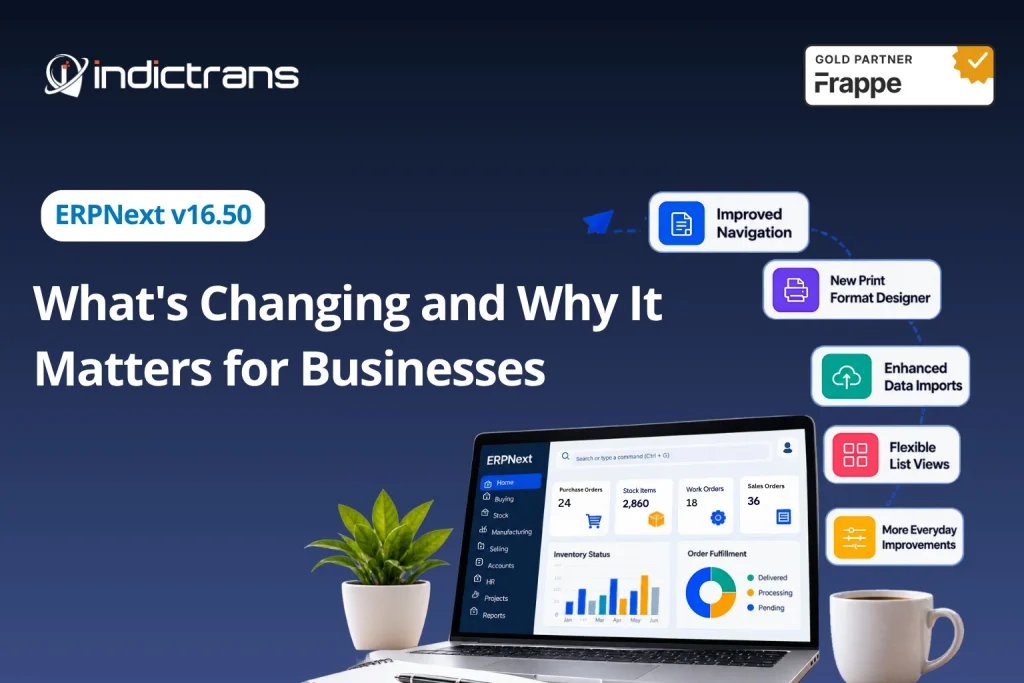
In version 16.50, Frappe made many changes to the user interface that will allow users to perform typical actions faster, provide greater options for users; and create an improved experience while doing so. Let’s look at some of these changes from a practical business perspective.
1. Spend Less Time Finding What You Need
Navigating between multiple modules will be made easier for many users as they go about their day-to-day activities using this new design of the menu. This new layout provides an easy method for accessing applications, modules, and all of the various parts of each module.
Users have the ability to create a customized sidebar according to what items they use most frequently. An individual who spends most of his/her time working with buying/stocking could place those frequently used items at the top of the list so he/she does not have to constantly search through the menu.
While it is just a little thing, it should help make the system much more user friendly.
2. A More Visual Approach to Print Formats
A business’s documentation needs to provide the correct amount of information and be presented in a way that is acceptable to the company. There will likely be varying layout needs for purchase orders, invoices, and quotes.
With the new Print Format Designer, creating a document’s layout has become much more visual. You can now create your layout using drag-and-drop features; you can also view what your document looks like as you work on it.
This allows teams to see how their finished product will look before they even begin to produce it.
Additionally, those who do not feel confident enough to use coding to make simple layout adjustments may find this tool helpful.
3. System Configuration Becomes Easier to Manage
An ERP system is much more than just inputting data. Administrators will have to configure many different types of things, such as permission levels, workflow processes, notification messages, name conventions/rules, etc.
In v16.50, all of the various DocType configurations were combined into one central location so that you don’t spend as much time going through multiple pages looking for what you need.
For example, if a consultant was trying to set up a new type of document or review how another process works, instead of taking the time to locate each separate setting, he/she could go directly to the area where everything related to those items would be located.
4. A Better Way to Handle Data Imports
Data Migration has been a common issue during the implementation phase of Enterprise Resource Planning (ERP) systems. Prior to a company being able to use an ERP system, all current data needs to be properly formatted, verified and then uploaded into the new system.
With the enhanced Data Import Experience, there will now be a much better way to guide users through the process of preparing, verifying and uploading their data. Users will have the ability to map incoming values, ignore bad lines of data, and fix any issues with hierarchy within the data if needed.
Additionally, another great feature of the new Data Import Experience is that you can upload multiple types of customer/supplier records at once including address/contact info for each record in one single file.
This could be especially helpful when dealing with large amounts of data such as hundreds of supplier records that were previously stored in another system. By having all of this information together it would help eliminate redundant data entries and allow for a more organized approach to handling the entire migration process.
However, no matter how good the new Data Import Experience may be, the quality of the initial data remains just as important.
Therefore, prior to completing your upload, you should check for missing values, incorrect mappings, duplicates etc., so that they do not cause problems after you complete the upload.
5. More Control Over How Teams View Their Work
Users have varying requirements for accessing the same information.
For example, a Purchasing Executive will likely be focused on Supplier Information and Order Status whereas a Manager is going to be more concerned about monitoring the overall performance of many activities.
The most recent release has added new features to allow users to customize the way they view and filter their data based upon what works best for them.
- Custom List Views – Users can now create custom lists by selecting which columns they would like to see, how they would like to sort the list, and what filters they would like to apply. This allows users to quickly access the information they need on a daily basis.
- Enhanced Kanban Boards – Kanban Boards are now configurable with respect to Cards, Swim Lanes and Drag & Drop Actions. This provides greater flexibility in terms of how you track your work.
- Child Tables – Child Tables are now able to be edited in bulk and resized so that you can easily handle large amounts of data at once.
- Inline Previews – Attachments and Linked Documents can now be previewed directly from within the application without having to open every single file.
All of these enhancements are designed to assist individuals in interacting with information during their normal course of business. These enhancements do not change the way businesses operate; however, they do make it much easier for employees to perform their jobs.
6. Improvements Beyond the Main Features
Updates don’t always have to add something entirely new; sometimes an update is helpful just by making current features more accessible. In addition to adding features, version 16.50 has improved several aspects, including the email composer, the Setup Wizard, and how you can get to your documentation.
For developers, the Central Component Library for the Desk Interface gives them a common base to build their own custom apps in the Frappe Ecosystem. All of these improvements will help users with various aspects of using the product – everything from daily use to developing applications.
7. What Should Businesses Check Before Upgrading?
A new version of your ERP system could provide many benefits; however, you need to ensure that this new version will be compatible with your current configuration. In addition to custom scripts, fields, workflows, reports, and third-party apps, all of which may impact the upgrade process, you should test each area prior to going live. Here are some additional actions you can take:
- Test the upgrade on a “staging” environment prior to implementing it in production.
- Review all custom fields, scripts, workflows, reports, and print formats.
- Verify if your custom app(s) are compatible.
- Test key business processes throughout every module used by your company.
- Notify end-users of any user interface changes that may negatively impact their day-to-day job responsibilities.
- Before moving forward, review the version numbers of all apps currently running and what upgrades are required.
Conclusion
V16.50 of ERPNext has been developed with an emphasis on enhancing user experience through enhancements such as better navigation, easier document creation/design, enhanced data import capabilities, and increased flexibility in view options. While this version does not alter the fundamental nature of an ERP system; however, it will provide many benefits to organizations currently utilizing ERPNext.
In addition to allowing organizations to assess their current configuration and identify areas for improvement, V16.50 provides a reminder for Functional Consultants that configuring an ERP system is only one aspect of their role. The other major component of their role involves understanding how employees utilize the system and assisting them in working more efficiently.
Ultimately, the value provided by an ERP system should be assessed based upon the effectiveness of its features in supporting both the individuals and processes involved in running a business.
Are you thinking about moving up to ERPNext version 16.50?
Take some time to examine how your system is set up today; including any custom workflows, reports, print formats, and third-party applications that you use.
Indictrans will be happy to assist in evaluating your current ERPNext configuration, determining what it takes to complete an upgrade, and developing a strategy for completing this process with minimal interruption to your daily business activities.
Need assistance planning your ERPNext upgrade? Let’s Talk!.