Businesses use ERP software to manage activities such as accounting, purchasing, sales, inventory, and manufacturing. But not every company wants to depend on software where access to the source code and changes are controlled entirely by the vendor.
This is one reason businesses consider open-source ERP software. It gives organizations more freedom to review, use, and modify the software under its licence terms.
ERPNext is one such option. It is an open source ERP system built on the Frappe Framework, with tools for managing different business processes through one platform.
In this guide, we’ll explain what open source ERP means, its benefits and limitations, and whether ERPNext is worth considering.
What Is Open Source ERP?
Open source ERP is business management software whose source code is available for users to inspect, use, modify, and share under an open source licence.
Unlike proprietary ERP software, where access to the source code is generally restricted, open source ERP gives businesses and developers more control over how the software is used and extended.
For example, a manufacturer may need to track additional product specifications that aren’t available in the standard ERP setup. With an open source system, its development team may be able to add those fields or build a separate feature to manage the information.
How Does Open Source ERP Software Work?
Open source ERP software works much like other ERP systems. The difference is in the rights and access provided by its licence.
Businesses can obtain the source code, install the software, configure its features, and make changes where needed. Developers can also build additional functionality and, depending on the licence and project rules, contribute improvements to the wider community.
The software can run on self-managed infrastructure or through a hosting provider, depending on the platform.
Open Source ERP vs. Proprietary ERP
Area | Open source ERP | Proprietary ERP |
Source code | Available under the licence | Usually restricted |
Customization | Can be modified within licence terms | Depends on vendor tools and permissions |
Hosting | May offer self-hosted and cloud options | Depends on the vendor |
Licensing | May not require a proprietary software licence fee | Usually has a licence or subscription cost |
Support | Community, internal developers, or service partners | Vendor and approved support partners |
Maintenance | Depends on the business’s hosting and support arrangement | Depends on the vendor’s service model |
Neither approach is automatically right for every business. The choice depends on how much control the company needs and what technical resources it has.
What Are the Benefits of Open Source ERP?
Open source ERP can be useful for businesses that want more control over their software and how it supports their operations.
More Control Over Customization
Businesses don’t always follow the same processes. An open source ERP can allow developers to add fields, change workflows, create reports, and build new features around specific requirements.
The level of customization depends on the software’s architecture and the development team’s skills.
Greater Flexibility and Integration
Open source ERP platforms can often be extended through APIs, custom applications, and development tools. This helps businesses connect ERP with e-commerce platforms, payment services, logistics applications, and other systems.
Control Over Hosting and Data
Depending on the platform, businesses may choose managed cloud hosting or operate the ERP on their own infrastructure. Self-hosting gives the organization more responsibility for server management, backups, security, and updates.
Lower Licensing Costs
Some open source ERP systems can be used without paying a proprietary software licence fee. However, that doesn’t make the complete ERP project free.
Implementation, data migration, customization, hosting, training, upgrades, and support can all involve costs.
What Are the Limitations of Open Source ERP?
Open source software gives businesses more options, but it also comes with responsibilities.
- Technical expertise: Advanced customization and server management may require developers or technical support.
- Implementation effort: Requirements, configuration, data migration, testing, and employee training take time.
- Ongoing maintenance: Someone needs to handle updates, backups, security, and system performance.
- Support arrangements: Businesses need to decide whether they’ll depend on internal teams, community resources, or an implementation partner.
Before selecting a platform, make sure you have a plan for managing the system after it goes live.
Is ERPNext an Open Source ERP?
Yes. ERPNext is an open source ERP system released under the GNU General Public License version 3 (GPLv3). Its source code is publicly available, and the licence provides rights to use, study, modify, and distribute the software, subject to its terms.
ERPNext is built on the Frappe Framework, a web application framework developed using Python and JavaScript. Together, they provide the foundation for running business processes and extending the application.
You can review the source code through the official ERPNext GitHub repository and read more about its licence in the official licensing information.
What Business Functions Does ERPNext Cover?
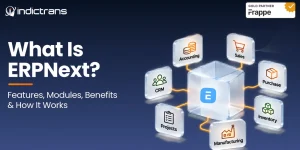
ERPNext provides tools for managing several business functions:
- Accounting and finance: General Ledger, invoices, payments, accounts receivable, accounts payable, and financial reports.
- Selling: Customers, quotations, sales orders, deliveries, and invoicing.
- Buying: Suppliers, purchase requests, purchase orders, receipts, and supplier invoices.
- Stock and inventory: Items, warehouses, stock movements, valuation, and batch or serial tracking.
- Manufacturing: Bills of Materials (BOMs), material planning, work orders, production, and costing.
- Projects: Projects, tasks, timesheets, expenses, and project tracking.
- Assets: Fixed asset records, depreciation, maintenance, and asset movement.
- Support: Customer issues, service agreements, and maintenance processes.
For HR and payroll, businesses can also use Frappe HR, a separate application that works alongside ERPNext. Its features include employee records, leave, attendance, and payroll.
How Can Businesses Customize ERPNext?
ERPNext provides several ways to adapt the system.
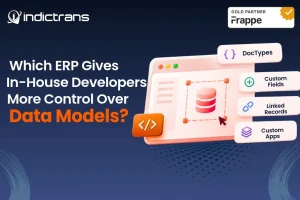
Custom Fields: Add extra information to existing forms when standard fields don’t cover a requirement.
DocTypes: Create new data structures to manage business-specific records.
Workflows: Set up approval steps for processes such as quotations, purchases, and other transactions.
Custom Reports: Build reports around the information different teams need.
Custom Applications: Use the Frappe Framework to build additional functionality and connect it with ERPNext.
The development work required depends on the change. Some form and workflow changes can be configured through the interface, while more advanced requirements may need Python and JavaScript development.
Is ERPNext One of the Best Open Source ERP Systems?
ERPNext is worth considering when a business needs connected business functions, customization options, and flexibility over how its ERP is deployed.
Some reasons businesses shortlist it include:
- Accounting, sales, purchasing, inventory, and manufacturing in one system.
- Customization through DocTypes, fields, workflows, and the Frappe Framework.
- Options for cloud hosting and self-hosting.
- APIs for connecting other business applications.
- Support for manufacturing, distribution, retail, and project-based operations.
However, there’s no single best open source ERP for every company. ERPNext may suit one business, while another may prefer a different platform because of its existing applications, technical team, industry requirements, or support arrangements.
The important thing is to check how well the ERP fits the way your business operates.
How to Choose the Right Open Source ERP for Your Business
Before selecting an ERP, consider these points:
Identify Your Business Requirements
List the processes that need to be managed. For example, a manufacturer may need purchasing, inventory, production, and quality management, while a distributor may focus more on warehousing, stock, and order fulfillment.
Check Customization and Integration Needs
Review whether the ERP supports the fields, workflows, and reports your business needs. Also check whether it can connect with your existing applications.
Evaluate Implementation and Maintenance Costs
Look beyond the software licence. Include implementation, customization, data migration, hosting, training, maintenance, and support in your budget.
Review Security, Support, and Future Growth
Check user permissions, backup arrangements, update processes, support availability, and whether the system can handle additional users, locations, and business processes as the company grows.
How Indictrans Helps Businesses Implement and Customize ERPNext
Selecting open source ERP software is only the first step. Businesses also need to configure it around their processes and plan how it will be maintained.
Indictrans helps businesses with different stages of their ERPNext journey:
- ERPNext Consulting: Understand business requirements and assess whether ERPNext fits the organization’s processes.
- ERPNext Implementation: Configure and implement ERPNext around business needs.
- Customization: Develop custom fields, DocTypes, workflows, reports, and applications using the Frappe Framework.
- Integration: Connect ERPNext with existing business applications and systems.
- Ongoing Support: Help businesses maintain, improve, and extend their ERP setup through the Success Package and Hypercare services.
Considering open source ERP for your business? Discuss Your ERP Requirements with Indictrans
Frequently Asked Questions About Open Source ERP
Is open-source ERP software free?
Some open-source ERP systems can be used without paying a proprietary software license fee. However, hosting, implementation, customization, training, and support can still involve costs.
Is ERPNext completely open source?
ERPNext’s core code is released under the GPLv3 license. Businesses can access and modify the source code under the license terms. Hosting, implementation, and support services may be paid separately.
Can businesses use ERPNext without coding?
Yes. Many standard ERPNext features and basic changes can be handled through its interface. More advanced customizations and integrations may require development skills.
Can ERPNext be customized for specific industries?
Yes. Businesses can extend ERPNext using Custom Fields, DocTypes, workflows, reports, and custom applications to support their operational requirements.
Is open source ERP suitable for small and medium-sized businesses?
It can be, especially when a business needs more control over its processes and wants to avoid relying entirely on proprietary software. The implementation scope and ongoing costs should still fit the company’s resources.
Who provides support for open source ERP software?
Support may come from the software’s community, internal technical teams, hosting providers, or implementation partners. The available support depends on the platform and the service arrangement.
Conclusion
Open-source ERP gives businesses more control over their software, including how it is hosted, customized, and extended. It can also reduce licensing expenses, although implementation and maintenance still need to be planned.
ERPNext is one option worth evaluating. Its business modules, GPLv3 license, and customization capabilities through the Frappe Framework make it a practical choice for businesses that want flexibility.
Before making a decision, look at your actual business requirements, technical resources, budget, and long-term support needs. The right ERP is the one your teams can use and maintain as the business grows.