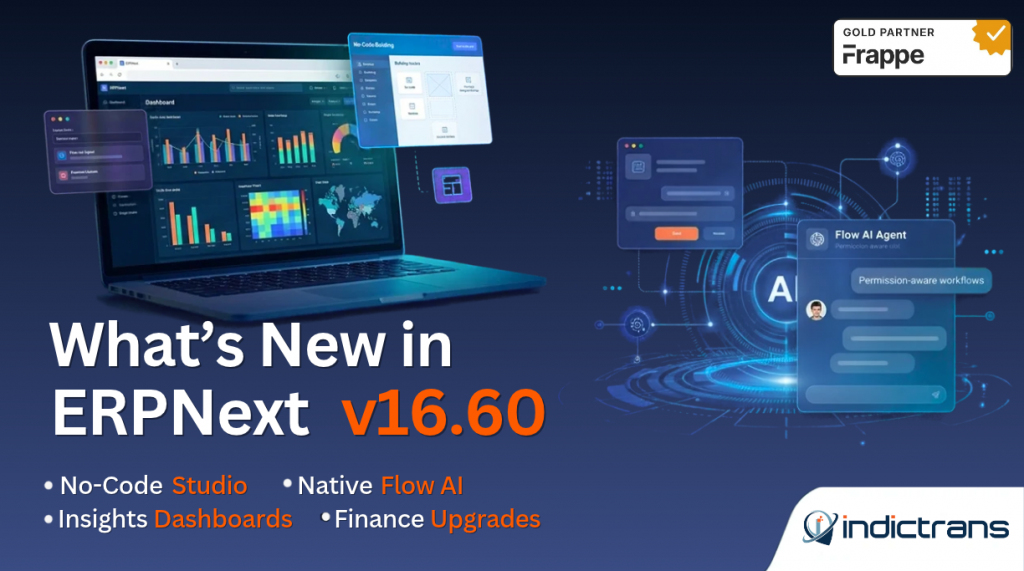
Just one month after the UI overhaul in v16.50, Frappe has dropped ERPNext v16.60 across Framework, ERPNext, and Frappe HR, and it is easily one of the most practical releases in years.
Instead of isolated technical tweaks, v16.60 solves the daily friction points that slow down finance, operations, and HR teams: endless tab-switching, clunky report formatting, rigid customizations, and manual invoice entry.
At Indictrans, we help enterprises get maximum ROI from the Frappe ecosystem. Here is a breakdown of what landed in v16.60 and what it actually means for your business operations.
1. Frappe Studio Merges into the Core Framework
The long-awaited Frappe Studio is now built directly into the Frappe Framework.
What it does: Studio lets teams build complete custom apps and bespoke user interfaces without writing code. If a standard ERPNext screen feels too dense for your warehouse floor or sales desk, you can design a tailored interface and push it live immediately.
Why it matters: Studio is built to work natively with AI agents. Functional consultants and developers can prompt an AI agent to generate working custom modules in minutes cutting customization timelines from weeks to hours.
2. Meet Frappe Flow: Permission-Aware AI Inside Your ERP
v16.60 introduces the alpha release of Frappe Flow, Frappe’s native AI harness running directly inside the Desk interface.
What it does: Flow uses LLMs to analyze operational data, answer questions across your records, and fill out forms. Crucially, it strictly respects existing user role permissions—meaning employees only get AI insights from data they are already authorized to see.
Why it matters: You can plug in your own AI provider keys today. Over the coming releases, ERPNext and Frappe HR will ship with pre-built Flow skills to automate repetitive workflows like bank and payment reconciliation.
3. Dashboards Powered by Frappe Insights
Native ERPNext and Frappe HR dashboards now run on the Frappe Insights engine.
What it does: Out-of-the-box dashboards now support multi-axis charts, heatmaps, maps, color-coded tables, and multi-company filters. Leaders can click directly on numbers to drill down into underlying source documents.
Why it matters: Leadership teams no longer need to export CSVs to get multi-entity visibility. Existing custom dashboards also automatically inherit the upgraded chart library. (Note: Existing sites simply need the Insights app installed to unlock the full builder.)
4. Split-Screen Document Queue for Invoices & Expenses
Manual data entry from PDFs is getting a major UX upgrade.
What it does: Teams can now bulk-upload supplier bills or expense receipts into a processing queue. Selecting any file opens a split-screen view displaying the uploaded document right next to the ERPNext form inside a single browser tab.
Why it matters: Accounting teams stop juggling dual monitors or alt-tabbing between PDF readers and ERPNext. Even better, Frappe confirmed that AI auto-fill for this queue arrives in the very next release.
5. Tally-Ready Financial Reports & Live Print Previews
For Indian businesses migrating from legacy accounting tools, v16.60 removes several familiar roadblocks.
New Standard Print Formats & Reports: ERPNext now includes a Tally-style Day Book report alongside standard print formats for Statement of Account, Customer/Supplier Bill-wise Pending, Balance Confirmations, Sales/Purchase Registers, and Warehouse Stock Summaries.
Live Print Preview: Switching letterheads or print templates now renders an instant live preview before you export or print.
6. Smarter Customer, Supplier & Project Views
360-Degree Party Dashboards: Customer and supplier forms now feature an Overview tab showing sales/purchase trends, unapplied payments, open orders, and credit limit utilization in one place plus an Items tab to restrict parties to frequently traded SKUs and prevent duplicate item creation.
Revamped Projects Module: Project managers get a unified overview of progress, overdue tasks, inline task editing, and a rebuilt Costing tab comparing actual billing and expenses against project budgets.
7. Faster Data Imports, External Web Forms & Mobile UX
Child Table Importer: Import Excel files with custom column mapping directly into child tables—no rigid CSV templates required.
External Web Form Requests: Request structured data (like employee onboarding details or vendor KYC) via private links; no Frappe login is needed.
Mobile Upgrade: Infinite scrolling, bottom navigation bars, and mobile-ready Kanban boards make field approvals much smoother.
Should You Upgrade to v16.60 Now?
With over 2,500 bugs squashed in the past month and major upgrades to reporting, customization, and AI readiness, v16.60 is a strong milestone for businesses running on v14, v15, or early v16 builds.
However, before running an upgrade on production, custom apps, print formats, and third-party integrations should be audited in a staging environment, especially if you plan to enable Frappe Insights or Studio workflows.
Planning Your v16.60 Upgrade or ERPNext Implementation?
As an experienced Frappe & ERPNext Partner, Indictrans Technologies helps enterprises upgrade safely. Build tailored workflows with Frappe Studio and deploy AI automation across finance and operations.
Talk to our ERPNext consultants today to schedule a v16.60 readiness audit or live walkthrough for your team.